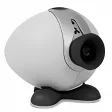
Record webcam to AVI, MOV or WMV, full control over video and audio codecs
If your webcam software doesn't exactly impress then River Past Cam can help you get the most out of your camera.
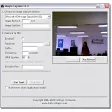
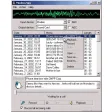
I've lost count of the number of times that I've installed a webcam and the camera hasn't worked for various reasons or the software has just proved cumbersome and useless. Usually, such software gives you very little control over codec standards or compression formats used but Cam Do differs in that it gives you maximum control where all the other fail to. It allows you to specify everything from the file format, codec, and quality of your files, right up to where the audio is taken from. You can define which codec you want to use according to what you are going to use your webcam for - Cinepak, Ideo 4 and 5, Microsoft Video 1, Motion JPEG, DivX and XviD (the developers recommend the latter two for the best speed and quality). Alternatively, audio can be recorded from any source, including microphone, line-in, or speakers and the recording volume can be adjusted manually even during the recording. You've also got full control over the sample rate, channel used, bits per sample, and bitrate as well as control over when the camera is activated due to a scheduler.
For maximum control over your webcam and when and how it is used, Cam Do is an excellent piece of software.












User reviews about River Past Cam Do
Have you tried River Past Cam Do? Be the first to leave your opinion!